Cast your phone to TV: videos, photos, music and IPTV
SmartGoCast sends your media to Chromecast and DLNA / UPnP smart TVs over your Wi-Fi. Pick your TV, choose what to play, tap cast, and stay in control from your phone.
- No account or sign-up
- Available in 10 languages
- Free, supported by ads
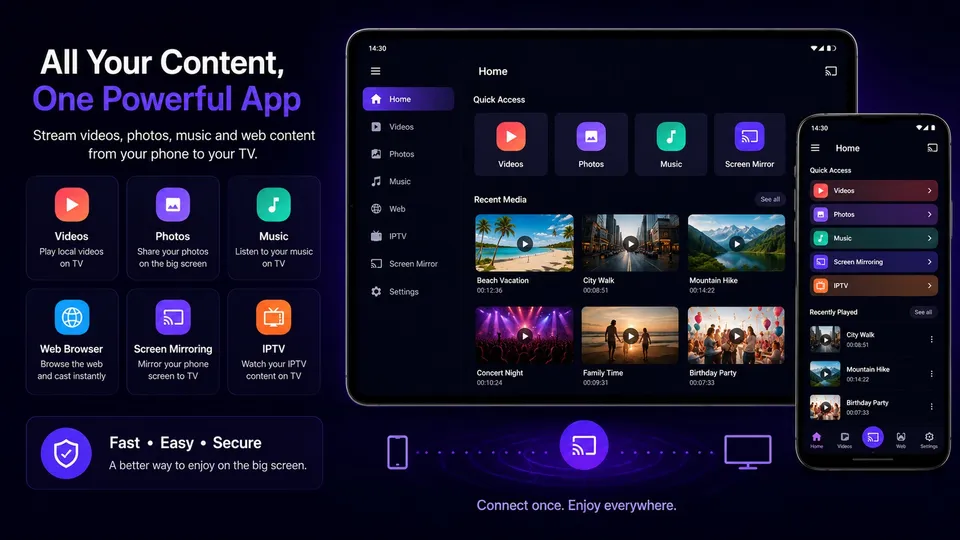
Everything on your phone, on the big screen
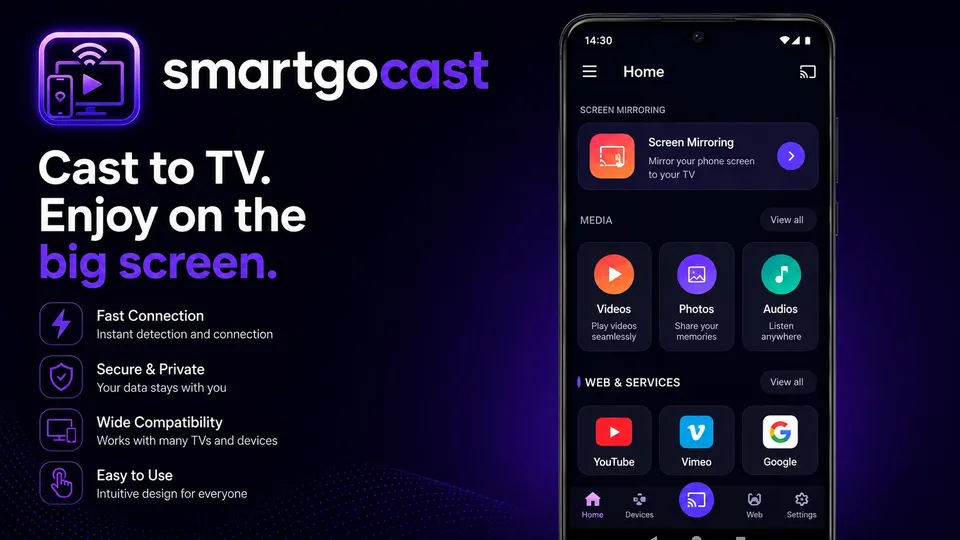
One app for your local media, web videos and IPTV playlists, instead of a different cast app for each.
Cast videos
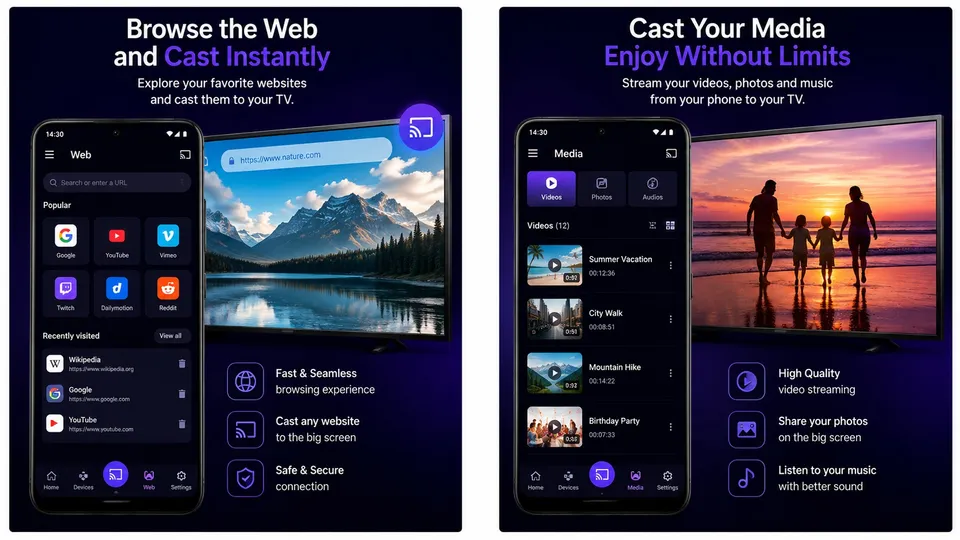
Play the videos stored on your phone on your TV. Pause, seek or jump 15 seconds, and stay in control from the app or the notification.
Cast photos
Show your pictures on the big screen and run a slideshow for family and friends.
Cast music
Send your music to the TV and keep using your phone while it plays.
Cast web videos
Browse with the built-in browser. SmartGoCast detects playable videos on the page (MP4, HLS) and sends them to your TV.
IPTV player (M3U & Xtream)
Add your own M3U link, a local .m3u file or an Xtream login, then cast channels to your TV. No channels are included.
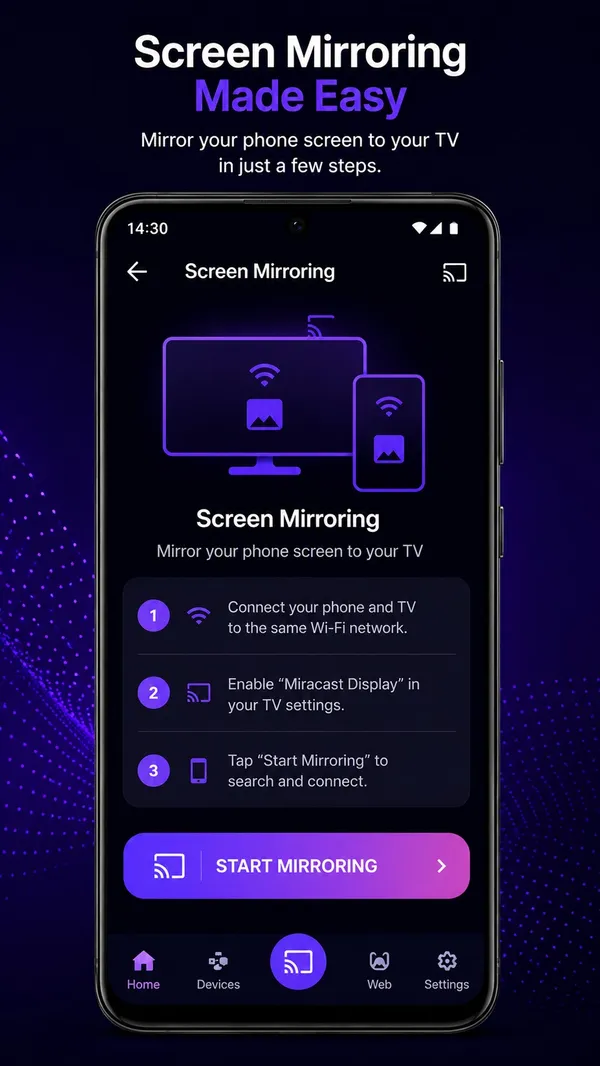
Screen mirroring shortcut
A step-by-step guide and a one-tap shortcut to your phone's built-in screen mirroring (Miracast / Smart View).
How to cast your phone to your TV
Connect both devices
Put your phone and TV on the same Wi-Fi network and turn off any VPN. With DLNA TVs, local files don't need an internet connection.
Choose your TV
SmartGoCast scans your network and lists Chromecast devices and DLNA / UPnP TVs. Some TVs ask for a PIN the first time.
Pick and cast
Select a video, photo, song, web video or IPTV channel, tap cast, and enjoy it on the big screen.
Works with Chromecast and DLNA smart TVs
SmartGoCast relies on two open standards, so you don't need one specific TV brand.
Chromecast & Google Cast
Chromecast dongles, Google TV and Android TV devices with Chromecast built-in.
DLNA / UPnP smart TVs
Many smart TVs from brands such as Samsung, LG, Sony, Philips, TCL and Hisense can receive media over DLNA / UPnP.
Media players
Kodi and other apps or boxes that expose a DLNA / UPnP renderer.
Compatibility depends on the model, firmware and network. Brand names are trademarks of their respective owners; SmartGoCast is not affiliated with or endorsed by them.
See SmartGoCast in action
A quick look at the app on phone and tablet.
Guides: cast to TV without the headaches
Step-by-step help for the most common casting questions.
Cast Your Phone to a TV Without Wi-Fi or Internet
No router or no internet? Here's what really works to cast a phone to a TV: local network, a second phone as router, Miracast or an HDMI cable.
Read the guideTV Not Showing Up in the Cast List? 9 Fixes That Work
TV missing from the cast device list? Check the network, VPN, router isolation, TV settings and Android battery options with these 9 fixes.
Read the guideHow to Play an M3U IPTV Playlist on Your TV From Android
How to add an M3U link, .m3u file or Xtream login to an Android IPTV player and cast channels to a Chromecast or DLNA TV, plus fixes for common problems.
Read the guideCast Android to a TV Without a Chromecast: 5 Easy Ways
No Chromecast? Cast your Android phone to a smart TV with DLNA, built-in Google Cast, Miracast, your TV maker's app or an HDMI cable. Pros and cons.
Read the guideHow to Cast Local Videos, Photos and Music From Android to TV
Send videos, photos and songs stored on your Android phone to a Chromecast or DLNA TV without cables. Steps, supported formats and tips for smooth playback.
Read the guideHow to Mirror Your Android Screen to a TV
How to mirror your Android phone's screen to a TV with Miracast, Smart View or Cast: steps on phone and TV, menu names by brand, fixes, and when to cast instead.
Read the guideFrequently asked questions
What is SmartGoCast?
SmartGoCast is a free Android app that casts videos, photos, music, web videos and IPTV channels from your phone to Chromecast devices and DLNA / UPnP smart TVs.
Is SmartGoCast really free?
Yes. It's free to download and use, and it's supported by ads.
Do I need a Chromecast?
No. If your TV supports DLNA / UPnP it can appear in the device list on its own. Chromecast and Google TV devices work too.
Can I cast without Wi-Fi or internet?
Your phone and TV need to share a local network, but that network does not need internet access: with DLNA TVs, local files stream over it. Read how to cast a phone to a TV without Wi-Fi to see what works.
Can I cast Netflix, Disney+ or Prime Video?
No. Those services protect their videos with DRM, so no third-party app can cast them. Use the cast button inside their own apps.
Does SmartGoCast include IPTV channels?
No. It's a player for playlists you add yourself (M3U link, .m3u file or Xtream login). Only watch content you have the right to access. See how to play an M3U playlist.
Does SmartGoCast mirror my screen?
It guides you through your phone's built-in screen mirroring (Miracast / Smart View / Cast) and opens its settings in one tap. Quality depends on your phone and TV. See how to mirror Android to a TV.
My TV doesn't show up in the list. What can I do?
Check that the TV is on, that both devices use the same Wi-Fi network and that no VPN is active. More fixes in TV not showing up in the cast list.
Which Android versions are supported?
Android 8.0 (Oreo) and newer.
Is my data safe?
SmartGoCast needs no account and doesn't upload your media: files stream from your phone to your TV over your local network. Ads are served by Google AdMob. Details in the privacy policy.
Ready to cast to your TV?
Install SmartGoCast for free and send your first video to the big screen in under a minute.